


A powerful Chrome extension that enhances in-page search capabilities beyond the browser's default find functionality.

Deep Finder provides an advanced set of search capabilities that go well beyond the default browser search:
- Case Sensitivity: Preserve case while searching for precise matches
- Whole Word Matching: Find only complete words, not partial matches
- Regex Support: Use regular expressions for complex search patterns
- Viewport-Only Search: Limit search to just the visible portion of the page
- Intuitive Navigation: Quickly move between search results
- Keyboard Shortcuts: Efficiently search without losing your flow
Screen.Recording.2025-04-07.at.11.47.49.PM.1.mp4
Deep Finder is available on the Chrome Web Store:
- Visit Deep Finder on Chrome Web Store (Link coming soon)
- Click "Add to Chrome"
- Confirm the installation
- Click the Deep Finder icon in your browser toolbar
- OR use the keyboard shortcut:
Shift+F
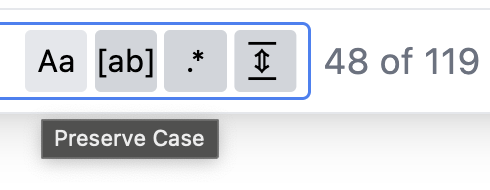
Deep Finder's intuitive interface provides easy access to all search options:
- Aa: Toggle case sensitivity
- [ab]: Match whole words only
- .*: Use regular expressions
- |⇔|: Search only in the current viewport
Shift+F: Open Deep FinderEscape: Close Deep FinderEnter: Navigate to next matchShift+Enter: Navigate to previous match
Deep Finder highlights all matches and clearly indicates which result you're currently viewing, with a count of total matches found.
Use the arrow buttons or keyboard shortcuts to navigate between matches.
Looking to improve Deep Finder with the following features:
- Fuzzy searching capabilities
- One-click highlighting of all emails on a page
- One-click highlighting of all phone numbers on a page
- One-click highlighting of all URLs on a page
The entry point for the content script UI is located at ./pages/content-ui/src/App.tsx.
For detailed instructions on setting up the development environment and building the extension from source, please refer to BOILERPLATE.md.
Contributions are welcome! Feel free to submit a pull request or open an issue.